Pipelines
bc_dev_tools has two primary data pipelines: the Import & Compare pipeline for matching BC fault codes against FAQ issue types, and the Failed CSM Resolver pipeline for resolving failed service order submissions.
Import & Compare Pipeline
Triggered by python -m bc_dev_tools pipeline or interactive menu option 1. This is the core matching workflow.
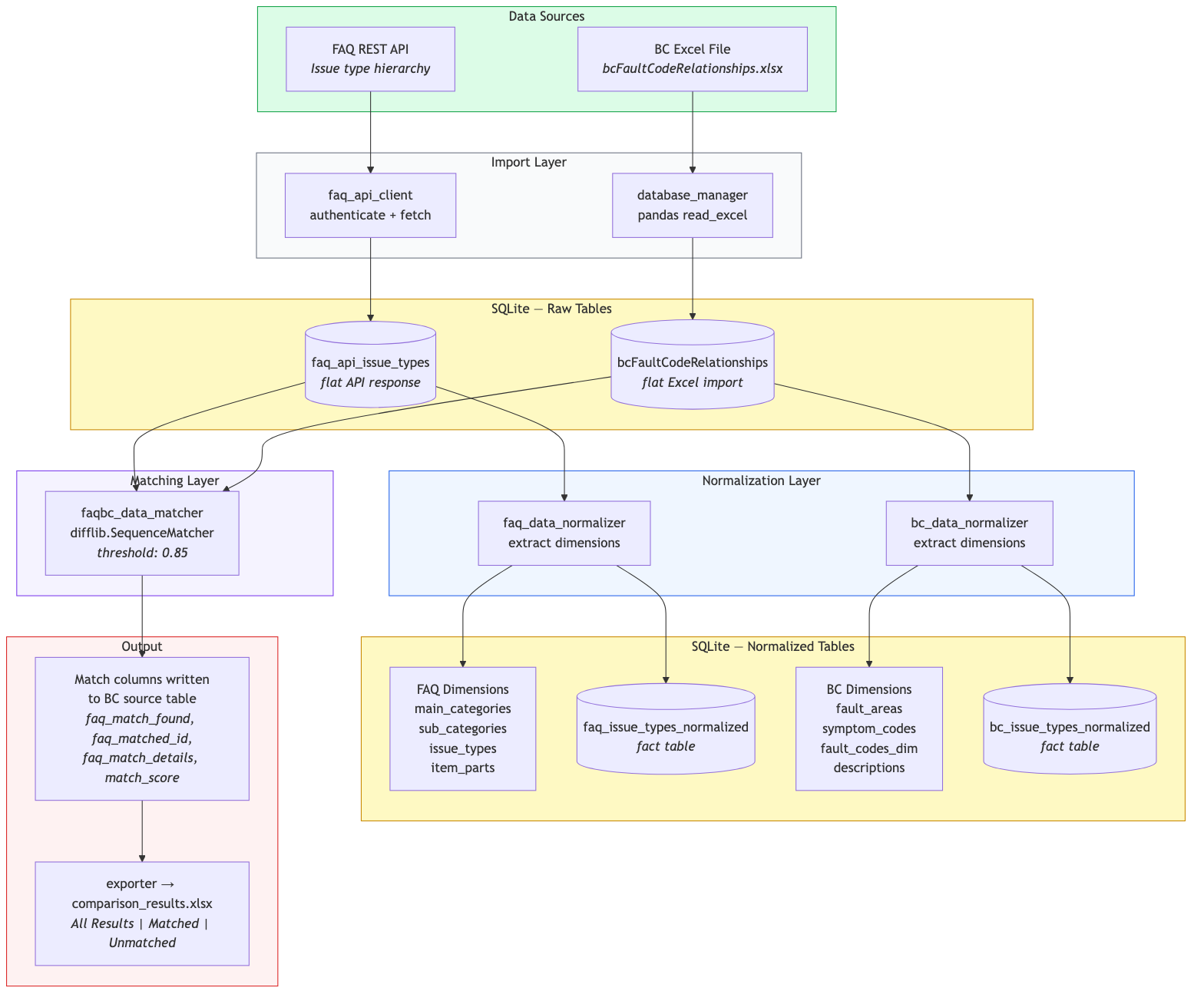
Flow:
- Data Sources (green) -- FAQ issue types are fetched from the FAQ REST API; BC fault code relationships are read from an Excel file.
- Import Layer (gray) -- The FAQ API client authenticates and retrieves data; the database manager uses pandas to read the Excel file. Both are stored as flat tables in SQLite.
- Normalization (blue) -- Each flat table is decomposed into dimension tables (see Data Model) and a normalized fact table. SQL views are created for convenience.
- Matching (purple) -- The
faqbc_data_matchercompares each BC row against every FAQ row usingdifflib.SequenceMatcheracross four mapped column pairs. The default similarity threshold is 0.85. - Output (red) -- Match results are written back to the BC source table, then exported to
comparison_results.xlsxwith three sheets: All Results, Matched, and Unmatched.
Failed CSM Resolver Pipeline
Triggered by python -m bc_dev_tools resolve run. This pipeline automates the resolution of failed CSM quality report submissions.
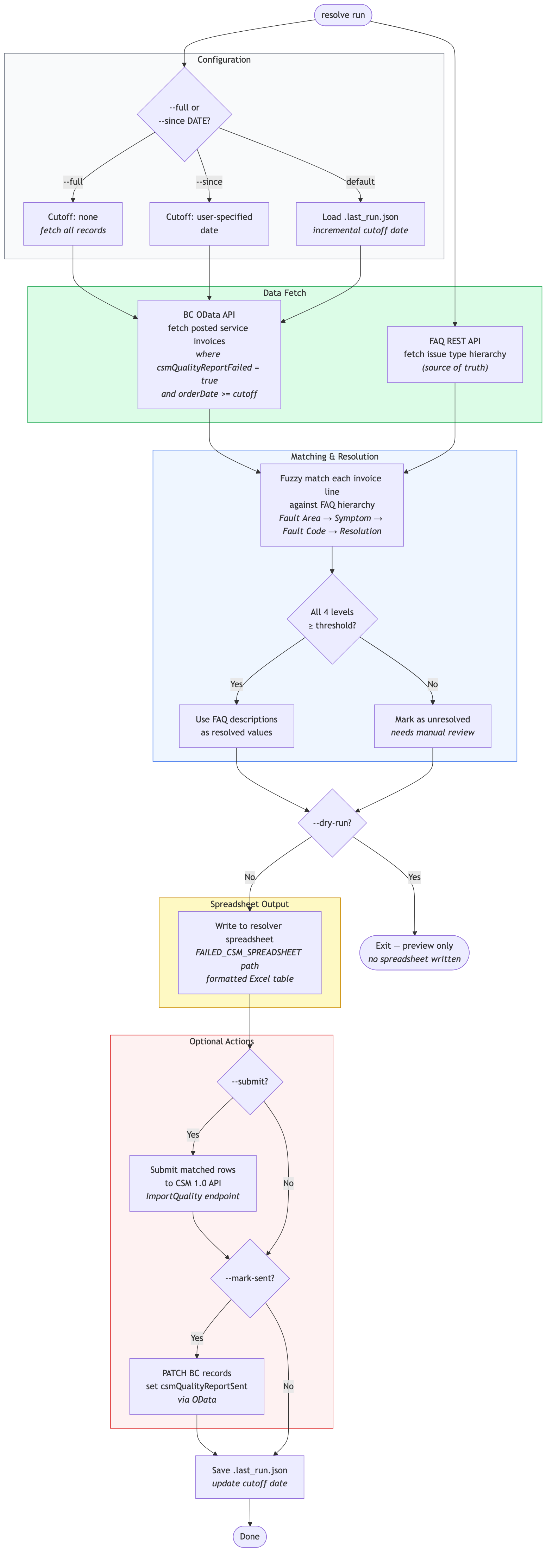
Flow:
- Configuration (gray) -- Determines the date cutoff. By default, loads the last successful run date from
.last_run.jsonfor incremental processing.--fullfetches all records;--since YYYY-MM-DDsets a custom cutoff. - Data Fetch (green) -- Two parallel fetches: BC OData API retrieves posted service invoices where
csmQualityReportFailed = trueandorderDate >= cutoff; FAQ REST API retrieves the issue type hierarchy. - Matching & Resolution (blue) -- Each invoice line's fault descriptions are matched against the FAQ hierarchy top-down (Fault Area, Symptom Code, Fault Code, Resolution). If all four levels meet the similarity threshold, FAQ descriptions become the resolved values. Unresolved rows are flagged for manual review.
- Dry Run Gate --
--dry-runexits here with a preview, writing nothing. - Spreadsheet Output (yellow) -- Results are written to the resolver spreadsheet at the
FAILED_CSM_SPREADSHEETpath as a formatted Excel table. - Optional Actions (red) --
--submitsends matched rows to the CSM 1.0 API viaImportQuality.--mark-sentPATCHes BC records to setcsmQualityReportSentvia OData. - State Save -- The cutoff date is saved to
.last_run.jsonfor the next incremental run.